
Why Is My Smart Thermostat Changing Temperature on Its Own?
Your smart thermostat should follow your commands, not make its own decisions. If your Nest or Ecobee keeps changing temperatures without your input, you’re experiencing one of the most common frustrations among smart home owners in Avon. The good news is that most of these issues stem from settings, software, or external signals rather than hardware failure. Let’s walk through the most likely causes and how to fix them. Compressor Failure Repair.
Common Culprits: Software and Settings
Smart thermostats come packed with features designed to save energy, but these same features can feel like they’re working against you when they override your preferences. The Best Energy Efficient Boilers for Hartford Homes with Old Radiators.
Nest Learning Features
The Nest’s Auto-Schedule feature learns your patterns over time. If you regularly adjust the temperature at certain times, it may start doing it automatically. The Home/Away Assist uses your phone’s location to change settings when you leave or return. Both can be disabled in the Settings menu under Auto-Schedule and Home/Away Assist.. Read more about Setting Your Thermostat for a Connecticut Winter Vacation Without Risking Frozen Pipes.
Ecobee Smart Recovery
Ecobee’s Smart Recovery pre-cools or pre-heats your home before a scheduled temperature change. While energy-efficient, it can make it feel like your thermostat is changing temperatures on its own. You can disable this in the main menu under Smart Home & Away settings.
Geofencing and Follow Me
Both brands use geofencing to track your location. If multiple family members have the app installed, conflicting signals can cause temperature swings. The Follow Me feature in Ecobee uses remote sensors to detect occupancy and adjust temperatures accordingly.
Quick Fix Checklist
- Disable Auto-Schedule (Nest) or Smart Recovery (Ecobee)
- Turn off Home/Away Assist or Smart Home & Away
- Check geofencing settings for multiple users
- Review scheduled temperature changes
External Overrides: Utility Demand Response Programs
Many Hartford-area utilities participate in demand response programs that allow them to temporarily adjust your thermostat during peak energy usage periods. Eversource’s ConnectedSolutions and UI’s Peak Savings programs can override your settings during heat waves or cold snaps without warning. Eversource ConnectedSolutions.
These programs typically activate during extreme weather events when the grid is under stress. You might notice your AC cycling differently during a July heatwave or your heat running at a lower temperature during a January cold snap. The utility usually provides a credit on your bill, but the lack of control frustrates many homeowners.
To check if you’re enrolled, log into your utility account online or call customer service. You can opt out of these programs, though you may lose the associated bill credits.
Hardware Issues: Wiring and Sensors
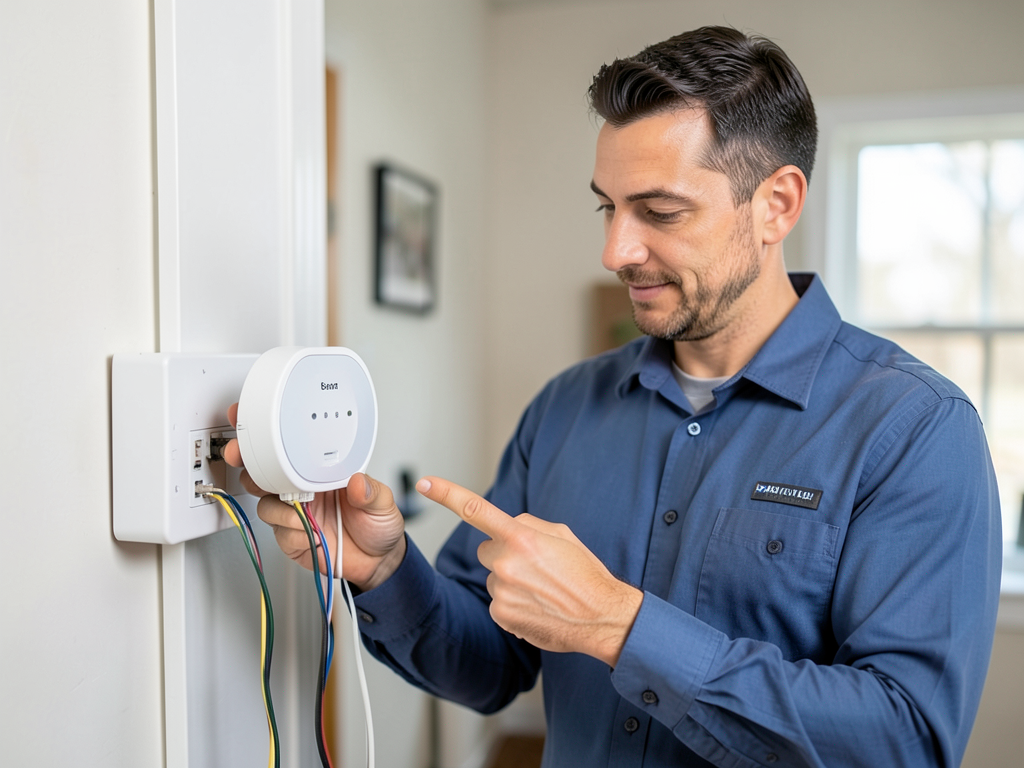
Sometimes the problem isn’t software but hardware. A common issue in older Avon homes is the missing or faulty C-wire (common wire). Without a C-wire, your thermostat may lose power and reboot, causing it to revert to default settings or factory presets.
Symptoms of C-wire problems include:
- Thermostat display going blank intermittently
- Settings resetting after power outages
- Temperature changes that seem random
Another hardware culprit is faulty remote sensors. Ecobee’s remote sensors can give false temperature readings if they’re near heat sources, in direct sunlight, or have dead batteries. This causes the thermostat to adjust based on incorrect data.
To test your C-wire, you’ll need to remove the thermostat faceplate and check the wiring at the terminal. A professional should handle this if you’re not comfortable working with low-voltage wiring.
Brand-Specific Troubleshooting Guide
| Feature | Nest | Ecobee | Honeywell |
|---|---|---|---|
| Learning Override | Auto-Schedule | Smart Recovery | Smart Response |
| Location Tracking | Home/Away Assist | Smart Home & Away | Geofencing |
| Remote Sensors | Temperature Sensors | Room Sensors | Temperature Sensors |
| Utility Override | Energy Rush Hour | Community Energy Savings | Peak Savings |
When to Call a Hartford HVAC Expert
If you’ve checked all the settings and your thermostat still changes temperatures on its own, the problem might be with your HVAC system rather than the thermostat. Short cycling, where your system turns on and off rapidly, can cause temperature fluctuations that make your thermostat appear to be malfunctioning.
Other signs your system needs professional attention:
- Uneven heating or cooling between rooms
- Strange noises from your furnace or AC unit
- Higher than normal energy bills
- Thermostat display issues or complete failure
Professional technicians can test your system’s electrical components, check refrigerant levels, and ensure your equipment is properly sized for your home. In Avon’s climate, where summer humidity and winter cold put extra stress on HVAC systems, regular maintenance prevents many of these issues.
Call (959) 203-9992 today to schedule your inspection. Don’t let thermostat problems leave you uncomfortable another day.
Frequently Asked Questions
Why does my Nest keep changing to Eco mode?
Nest’s Eco mode activates when it thinks you’re away or during utility demand response events. Check your Home/Away Assist settings and opt out of utility programs if you don’t want these automatic changes.
Can my utility company really control my thermostat?
Yes, through demand response programs like Eversource’s ConnectedSolutions. These allow brief temperature adjustments during peak demand periods. You can opt out through your utility account.
How do I know if I need a C-wire?
If your thermostat loses power, resets settings, or has intermittent display issues, you likely need a C-wire. Most smart thermostats require continuous power for their Wi-Fi and display features.
Should I just replace my thermostat?
Not necessarily. Most temperature-changing issues are software-related and can be fixed by adjusting settings. Only replace the thermostat if hardware testing shows it’s faulty.
How much does professional troubleshooting cost?
Professional diagnosis typically ranges from $75-150, which is credited toward any repairs needed. This is often cheaper than buying a new thermostat that might have the same issues. EPA Refrigerant Recovery Requirements.
{
“@context”: “https://schema.org”,
“@type”: “BlogPosting”,
“headline”: “Troubleshooting Why Your Nest or Ecobee Thermostat Keeps Changing the Temperature in Avon”,
“description”: “Is your smart thermostat overriding your settings? Learn the common causes and fixes for Nest and Ecobee temperature changes in Avon homes. Call (959) 203-9992 for help.”,
“wordCount”: 941,
“datePublished”: “2026-05-28T14:47:00.000Z”,
“dateModified”: “2026-05-28T14:47:00.000Z”,
“inLanguage”: “en-US”,
“mainEntityOfPage”: {
“@type”: “WebPage”,
“@id”: “https://libertyhvachartford.com”
},
“publisher”: {
“@type”: “LocalBusiness”,
“name”: “Liberty HVAC Hartford”,
“url”: “https://libertyhvachartford.com”
},
“author”: {
“@type”: “Organization”,
“name”: “Liberty HVAC Hartford”,
“url”: “https://libertyhvachartford.com”
},
“image”: {
“@type”: “ImageObject”,
“url”: “https://libertyhvachartford.com/wp-content/uploads/2026/03/troubleshooting-why-your-nest-or-ecobee-thermostat-1.png”
}
}
{
“@context”: “https://schema.org”,
“@type”: “HVACBusiness”,
“name”: “Liberty HVAC Hartford”,
“url”: “https://libertyhvachartford.com”,
“address”: {
“@type”: “PostalAddress”,
“addressLocality”: “Hartford”
},
“areaServed”: {
“@type”: “City”,
“name”: “Hartford”
}
}
{
“@context”: “https://schema.org”,
“@type”: “FAQPage”,
“mainEntity”: [
{
“@type”: “Question”,
“name”: “Why Is My Smart Thermostat Changing Temperature on Its Own?”,
“acceptedAnswer”: {
“@type”: “Answer”,
“text”: “Your smart thermostat should follow your commands, not make its own decisions. If your Nest or Ecobee keeps changing temperatures without your input, you’re experiencing one of the most common frustrations among smart home owners in Avon. The good news is that most of these issues stem from settings, software, or external signals rather than hardware failure. Let’s walk through the most likely causes and how to fix them. Compressor Failure Repair.”
}
},
{
“@type”: “Question”,
“name”: “Why does my Nest keep changing to Eco mode?”,
“acceptedAnswer”: {
“@type”: “Answer”,
“text”: “Nest’s Eco mode activates when it thinks you’re away or during utility demand response events. Check your Home/Away Assist settings and opt out of utility programs if you don’t want these automatic changes.”
}
},
{
“@type”: “Question”,
“name”: “Can my utility company really control my thermostat?”,
“acceptedAnswer”: {
“@type”: “Answer”,
“text”: “Yes, through demand response programs like Eversource’s ConnectedSolutions. These allow brief temperature adjustments during peak demand periods. You can opt out through your utility account.”
}
},
{
“@type”: “Question”,
“name”: “How do I know if I need a C-wire?”,
“acceptedAnswer”: {
“@type”: “Answer”,
“text”: “If your thermostat loses power, resets settings, or has intermittent display issues, you likely need a C-wire. Most smart thermostats require continuous power for their Wi-Fi and display features.”
}
},
{
“@type”: “Question”,
“name”: “Should I just replace my thermostat?”,
“acceptedAnswer”: {
“@type”: “Answer”,
“text”: “Not necessarily. Most temperature-changing issues are software-related and can be fixed by adjusting settings. Only replace the thermostat if hardware testing shows it’s faulty.”
}
},
{
“@type”: “Question”,
“name”: “How much does professional troubleshooting cost?”,
“acceptedAnswer”: {
“@type”: “Answer”,
“text”: “Professional diagnosis typically ranges from $75-150, which is credited toward any repairs needed. This is often cheaper than buying a new thermostat that might have the same issues. EPA Refrigerant Recovery Requirements.”
}
}
]
}
{
“@context”: “https://schema.org”,
“@type”: “BreadcrumbList”,
“itemListElement”: [
{
“@type”: “ListItem”,
“position”: 1,
“name”: “Home”,
“item”: “https://libertyhvachartford.com”
},
{
“@type”: “ListItem”,
“position”: 2,
“name”: “Blog”,
“item”: “https://libertyhvachartford.com/blog”
},
{
“@type”: “ListItem”,
“position”: 3,
“name”: “Troubleshooting Why Your Nest or Ecobee Thermostat Keeps Changing the Temperature in Avon”
}
]
}
{
“@context”: “https://schema.org”,
“@type”: “Service”,
“serviceType”: “HVAC”,
“provider”: {
“@type”: “LocalBusiness”,
“name”: “Liberty HVAC Hartford”,
“url”: “https://libertyhvachartford.com”
},
“areaServed”: {
“@type”: “City”,
“name”: “Hartford”
},
“description”: “Is your smart thermostat overriding your settings? Learn the common causes and fixes for Nest and Ecobee temperature changes in Avon homes. Call (959) 203-9992 for help.”
}